
Your month at a glance
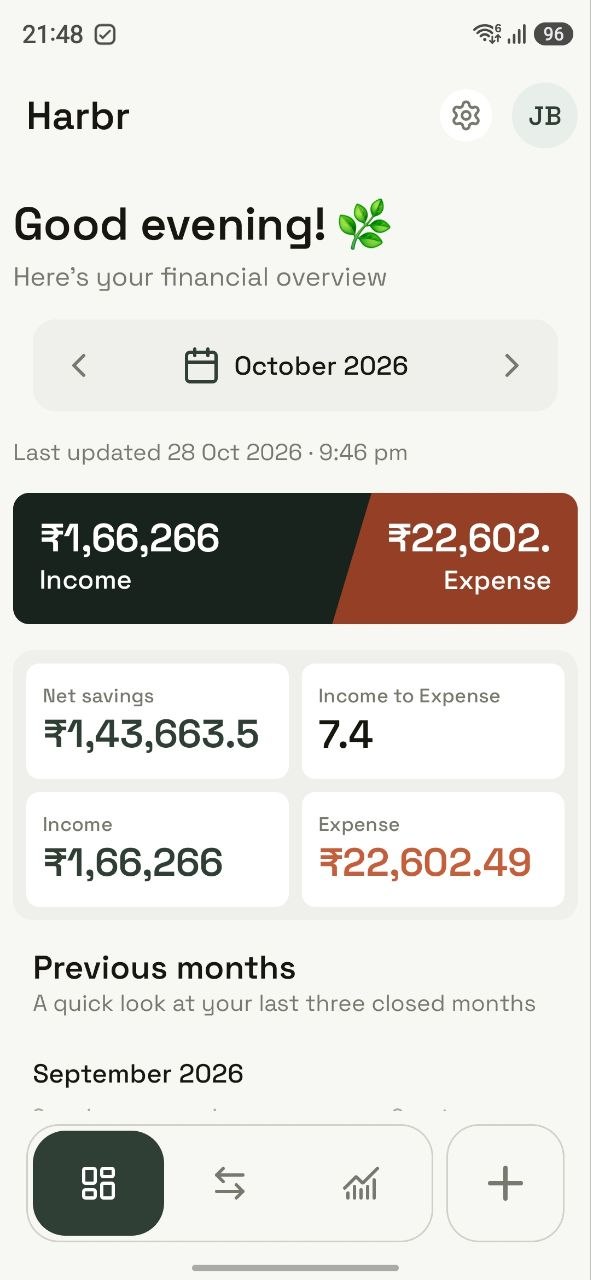
Income, expense and savings, with recent months side by side and every category close at hand.
Harbr picks up spending from your bank SMS, sorts it into categories you control, and shows you exactly where your money settles each month.
No signup. Explore and edit sample data.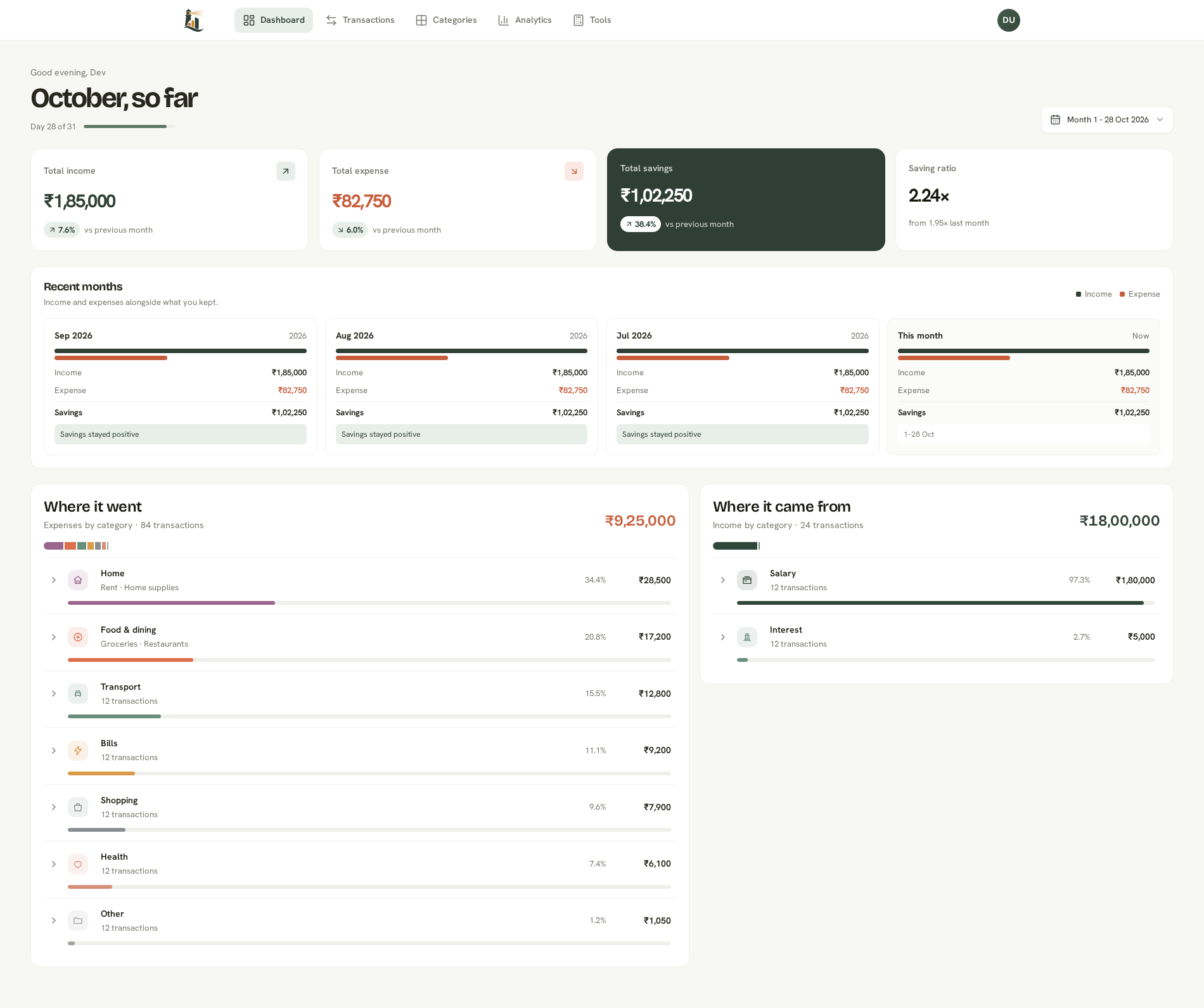
The Android app reads your bank and card SMS, picks out the amount, merchant and date, and puts each one in a queue. Nothing counts towards your totals until you’ve checked it.

Debits, card spends, refunds and credits: the messages you already get.
Transaction messages become suggestions with the amount, merchant and date.
Review the suggested entries together in Harbr before adding them to your finances.
Check the category and details. Only approved entries count toward your totals.
Income, expense and savings, with recent months side by side and every category close at hand.
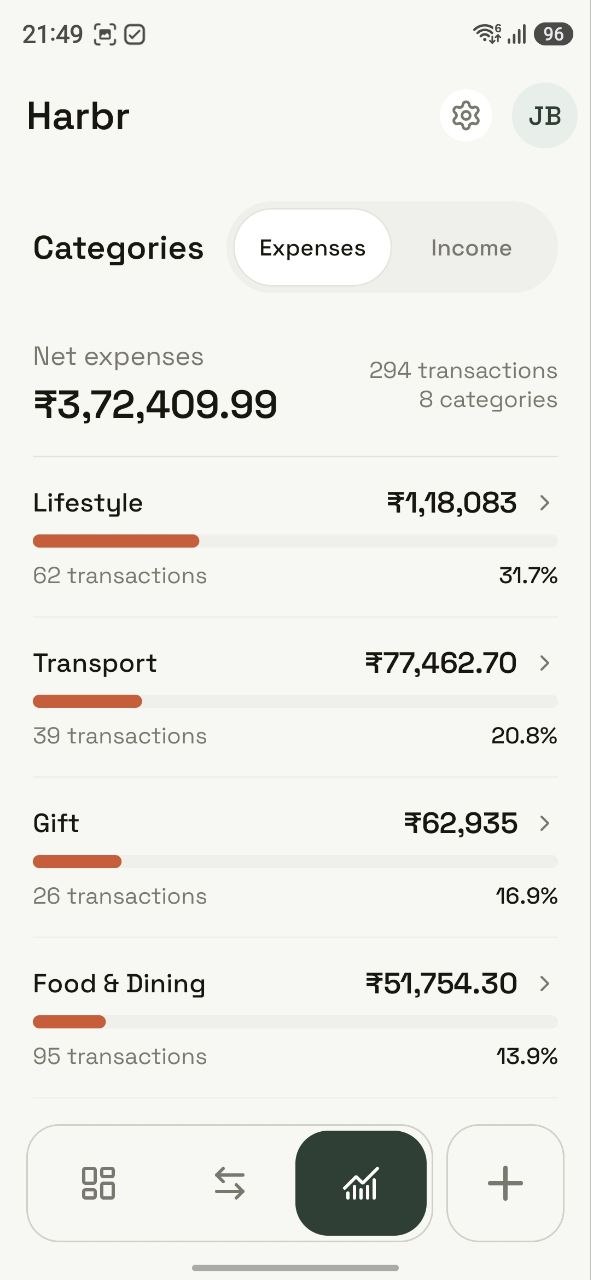
Expandable subcategories with share and amount. Open a category to see its exact transactions.
Bank messages turned into ready-to-review suggestions. Check the details, approve, edit or reject.
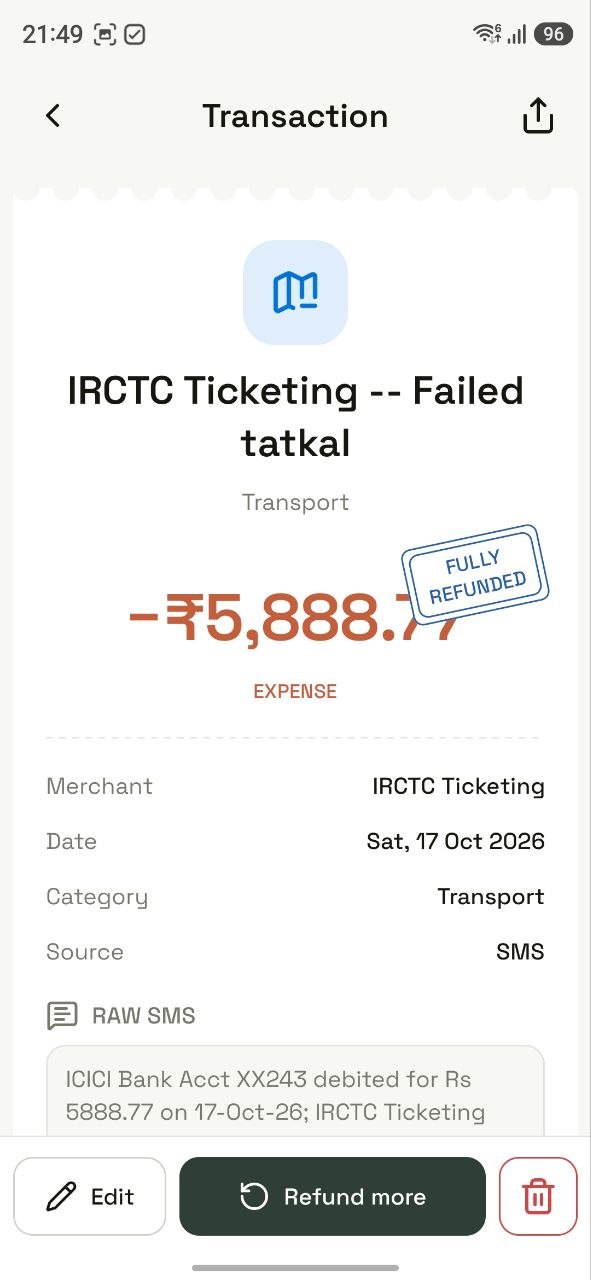
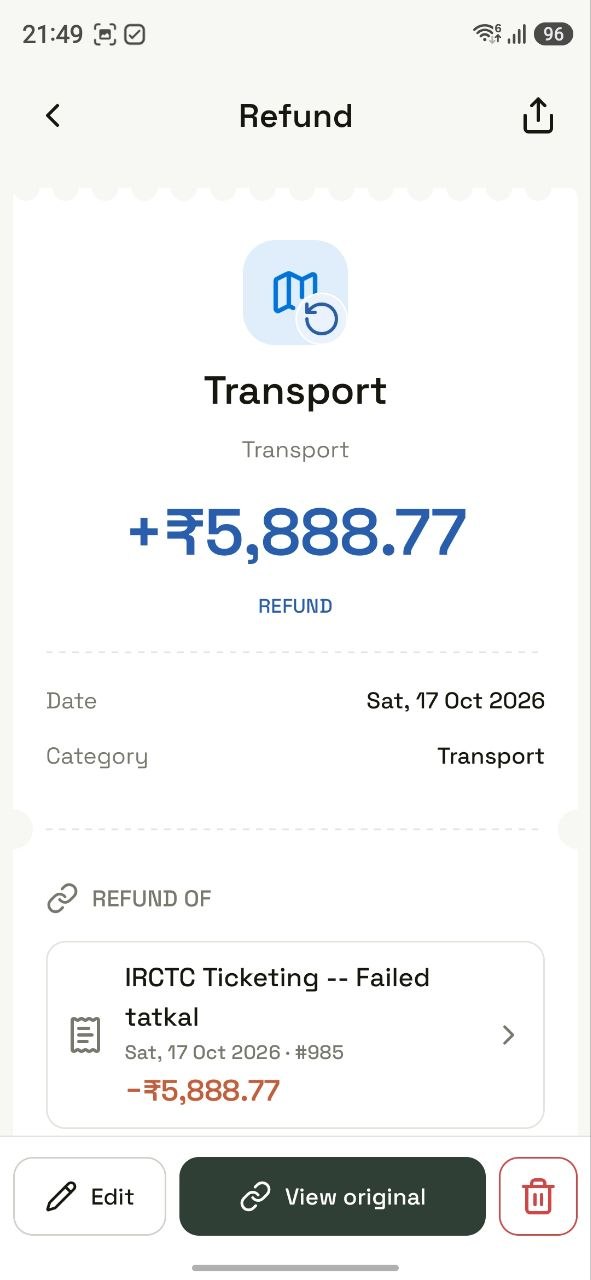
Link partial or full refunds to the original expense and see what you actually spent.
Select transactions by row or day, then recategorise, retag, redate or delete the selected entries.
Organise categories and subcategories, choose colors and icons, and manage your transaction tags.
Category breakdowns and month-by-month income, expense and savings to help you see the bigger picture.
One CSV format both ways. Preview imports, check duplicates and keep your own copy of your data.
FIRE, investment growth, loans, emergency funds and inflation. Free to use, even without an account.
Descriptions, tags and linked refunds keep your income and expenses in context.
Your income, spending and savings, with category breakdowns for the period you choose.
Explore over a year of fictional transactions, refunds, analytics and an SMS review queue. Make edits and export CSV without signing up.
To log out of the demo account, select your profile icon, then Sign out.The Android app reads bank and card messages. Personal conversations are never touched.
Download transactions as a CSV in the same format you can import back.
Clear your financial data and start over, or delete your account entirely.